Know what's expiring before it becomes a problem.
StaffCurrent keeps track of when your team’s licenses, certifications, and other credentials expire. When something is coming due, you get an email. If those dates already live in a spreadsheet, you can import it and start from there.
Try the demoYou’ll get your own copy of the real app, with a fictional 30-person roster already loaded. You don’t need to enter an email address or a card. The demo is private to you, and it’s deleted after 24 hours.
Dashboard
as of 2026-09-16
93% current
28 of 30 tracked credentials · 2 expired
Expired2
| Name | Expires | Renew |
|---|---|---|
| Marcus Webb | 2026-08-22 | |
| Priya Raman | 2026-09-10 |
Expires within 7 days2
| Name | Expires | Renew |
|---|---|---|
| Tomas Lindqvist | 2026-09-19 | |
| Dana Achebe | 2026-09-21 |
and 26 others are current
What StaffCurrent is
- What it tracks
- Licenses, certifications, training, insurance. Anything with an expiration date. You name the credential types yourself, so they match the words your organization already uses.
- What it stores
- Names, credential types, and expiration dates. StaffCurrent doesn’t hold your certificates, personnel files, health records, or client information. Those stay with you. How it’s kept.
- How reminders work
- You choose how often the reminder email goes out, from daily through to monthly, or turn it off entirely. You can also set how far ahead it looks, from 7 days up to 60. When nothing is coming due, no email is sent, unless you’d rather hear either way.
- Signing in
- You sign in with a link sent to your email, so there’s no password to set or reset. If someone only needs to update a date, they can do that without signing in at all.
- What it costs
- $30 a month covers your whole organization and everyone you add to it. There are no tiers, no setup fee, and no per-person charge. What’s included.
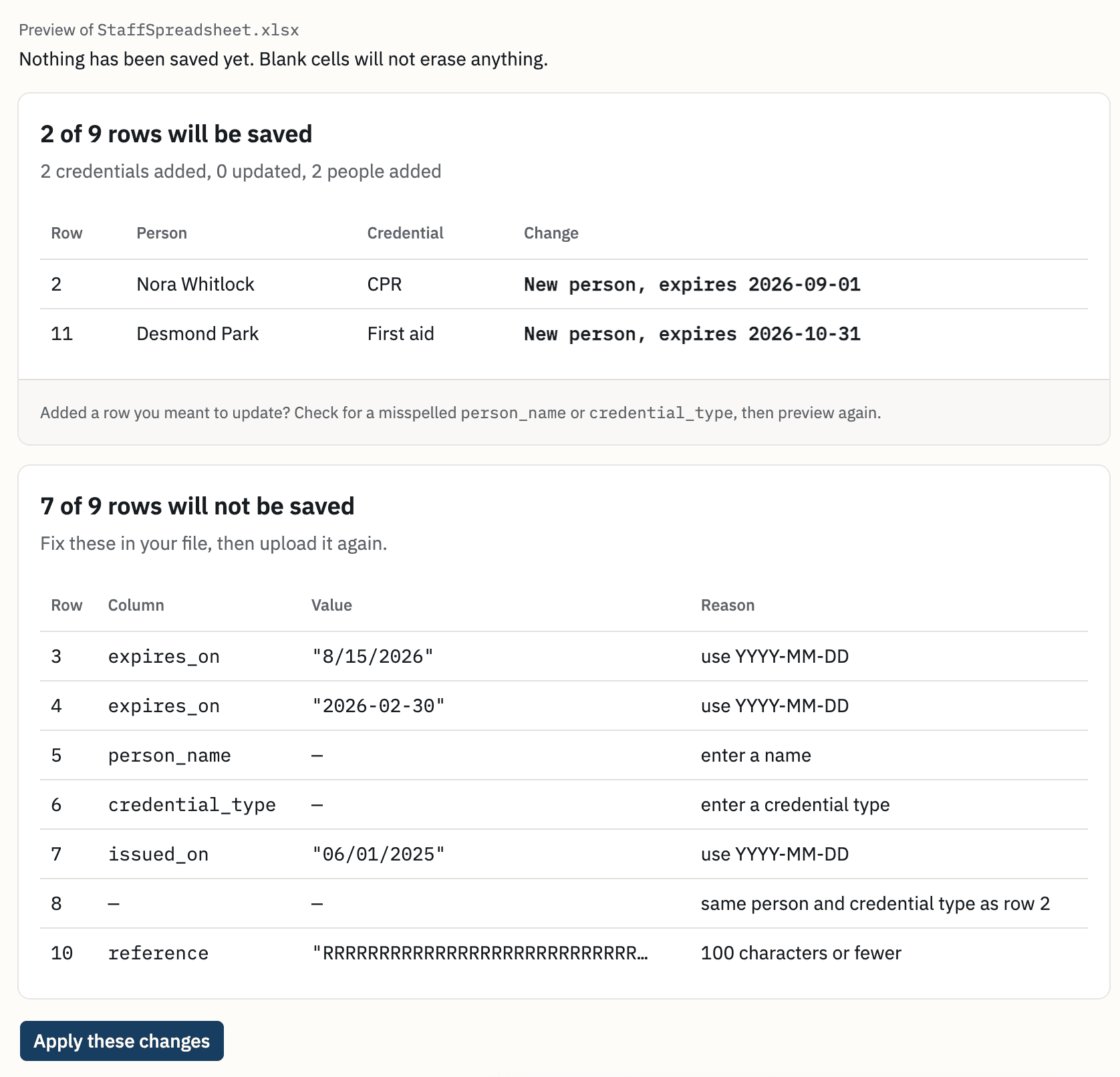
Start from the spreadsheet you already keep
Paste it in or upload the file. StaffCurrent shows you what it found before anything is saved. You can see which rows are ready and which ones need fixing, and nothing is imported until you say so.
How a renewal works
Open the reminder email. It lists anyone with a credential coming due.
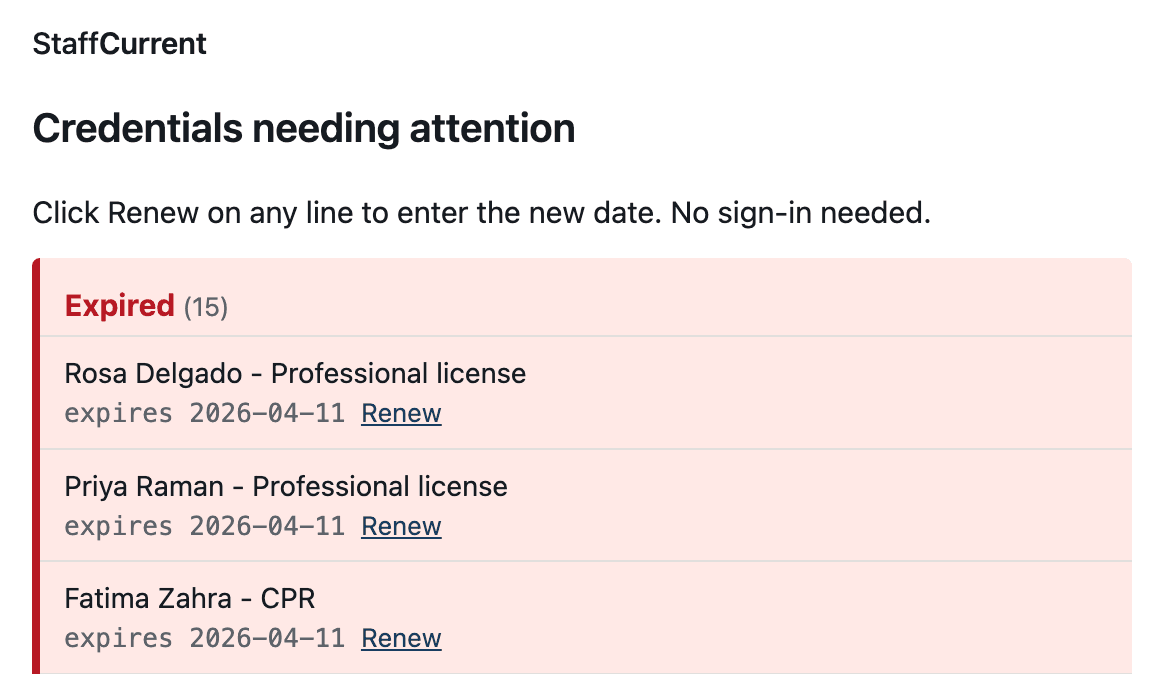
The reminder email. Click an expired credential’s renewal link. It opens that credential on its own, and nobody has to sign in first.
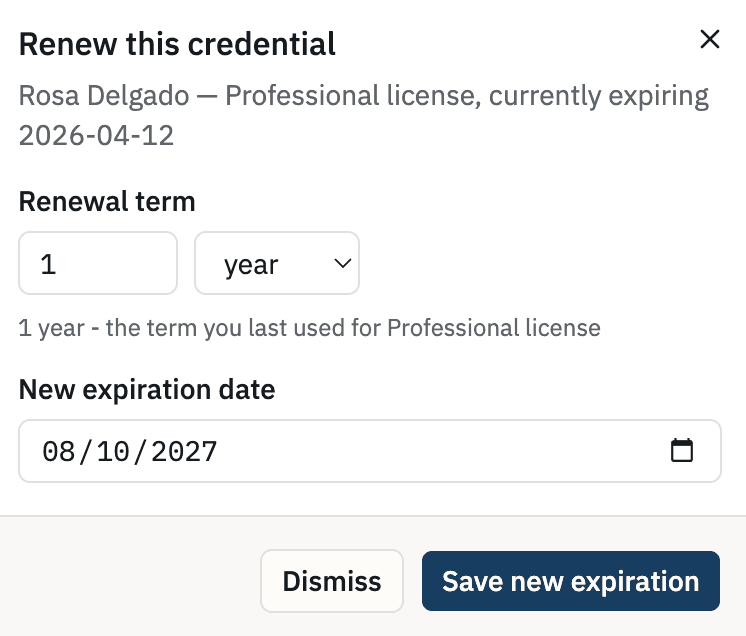
The page a renewal link opens. Enter the new expiration date and save it. The dashboard shows the new date straight away.
Printing and exporting
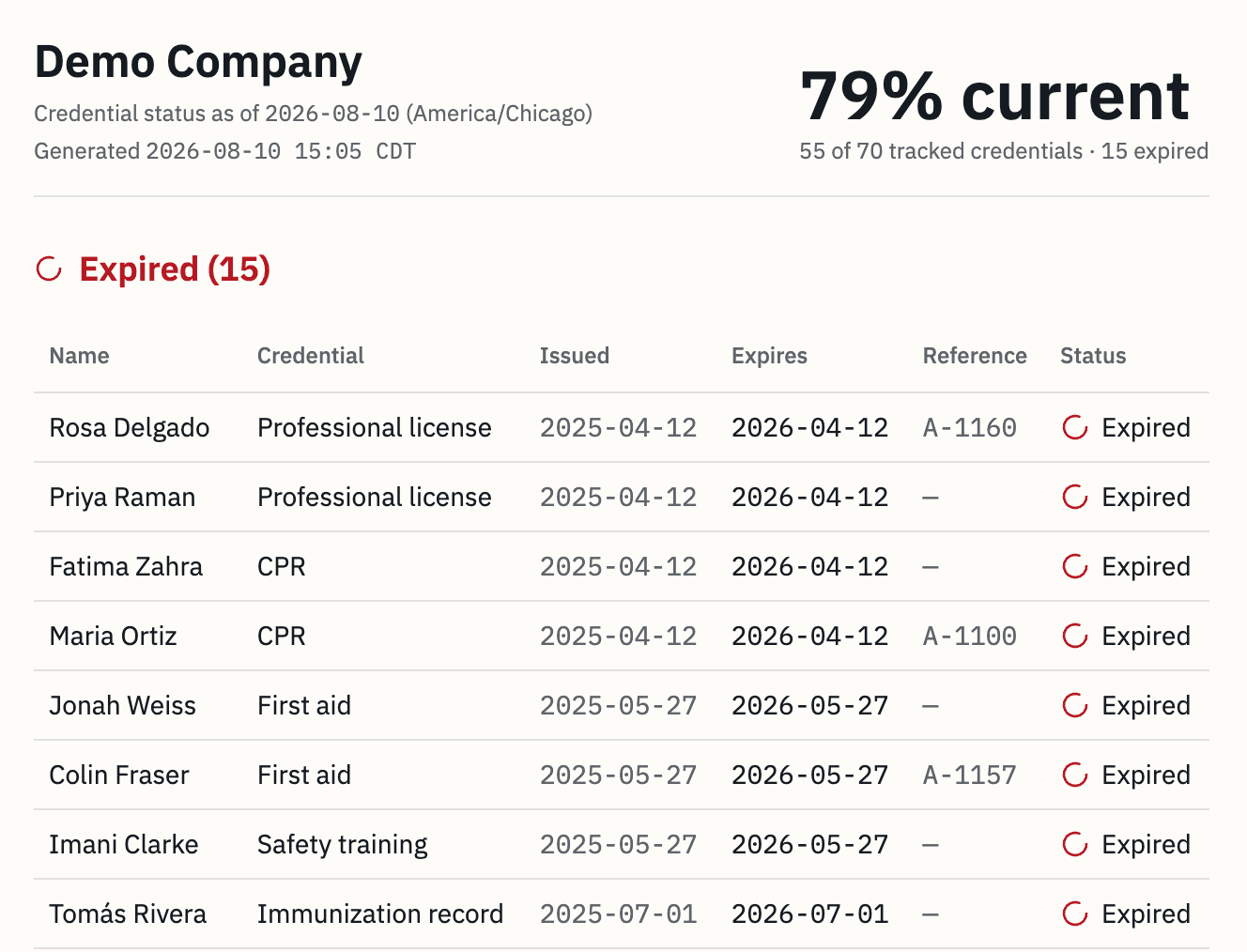
Print your dashboard or download it as a CSV or Excel file. The printed page shows your organization, the date it covers, and every person and credential with its status. It’s laid out to read clearly in black and white.
Try it with a full roster
The demo is the real application, so you can edit the roster, import a spreadsheet, or clear it out and start from scratch. If you decide to sign up afterwards, we’ll send you a link by email.
I built StaffCurrent myself, I run it, and I answer the support mail. More about that.